Microsoft Surface Pro 11 worth:-
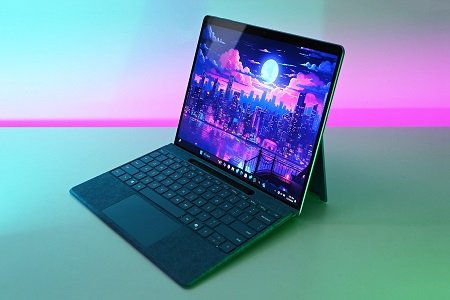
Microsoft Surface Pro 11 worth:- The Microsoft Surface Pro 11 is one of the most fascinating 2-in-1 Windows laptops around right now. While it may not be completely laptop-like, it pairs the convenience of a tablet with the full power of a Windows PC. From its high-resolution 13-inch touchscreen display to Snapdragon X-series processors, kickstand, optional keyboard and pen accessories, and Copilot+ AI features, it is perfect for those who want to enjoy the convenience of a tablet without giving up productivity.
But with premium configurations costing over $1,000 and accessories adding to the cost, the question stands simple: is the Microsoft Surface Pro 11 worth buying?
For the right buyer, yes – but for others, it might not be the best choice.
Microsoft Surface Pro 11 worth:-
The Surface Pro 11 is Microsoft’s new iteration of its 2-in-1 Surface Pro line. It has Windows 11 and comes in Qualcomm Snapdragon X Plus and Snapdragon X Elite configurations for its consumer offerings, and Intel Core Ultra configurations for business offerings.
Microsoft has given the Snapdragon models a Copilot+ PC designation, since they have a dedicated neural processing unit (NPU) that is capable of up to 45 trillion operations per second (TOPS) in a Snapdragon X-series processor, enabling various AI-related Windows features.
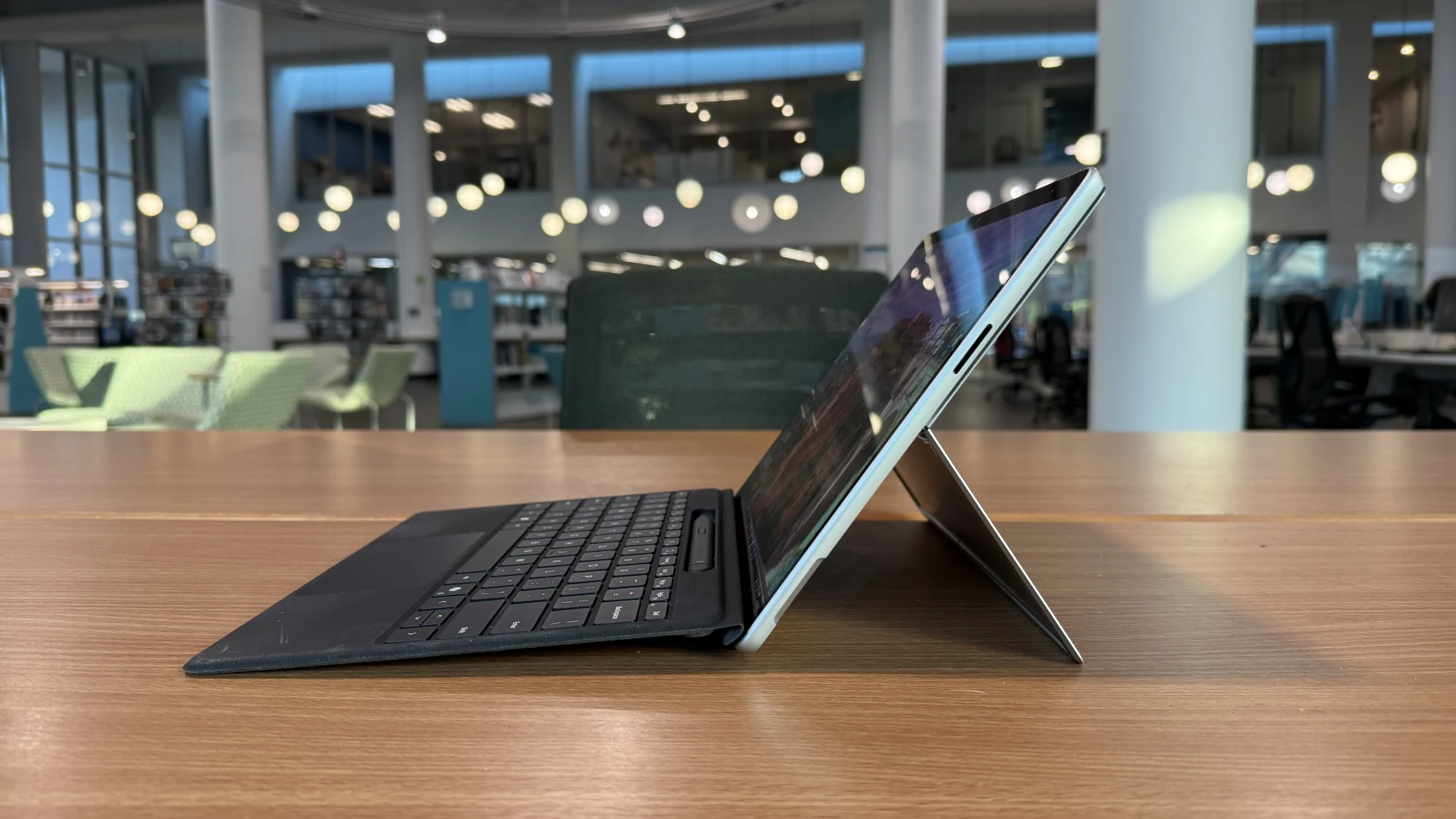
As before, the basic premise is the same: use it as a tablet for the convenience, attach a Surface Pro Keyboard and Surface Pen when the need arrives for more serious writing and productivity and use the kickstand to convert it into a laptop-like device.
Microsoft Surface Pro 11 worth:- Design and Portability
The main appeal of the Surface Pro 11 is its design.
It is roughly 11.3 x 8.2-inches and 0.37-inches thick.
The Snapdragon version weighs 1.97 pounds (895 grams). Microsoft Learn
It is significantly more portable than regular laptops. Students can bring it to class, and professionals can bring it to meetings. Travelers can feel reassured that it can fit in their bag.
It also features a kickstand that can open up to approximately 165 degrees, allowing the Surface Pro to be used as a laptop for typing, drawing, watching videos, and presenting. Microsoft Learn
It also has a nice aluminum finish: Microsoft offers its consumer models in colors Platinum, Black, Sapphire, and Dune. Microsoft Learn
The caveat, however, is that the keyboard is sold separately in many configurations. It is an additional purchase if you want to use the Surface Pro primarily as a laptop.
Display: One of Its Strongest Features
Its display is yet another reason to consider the Surface Pro 11.
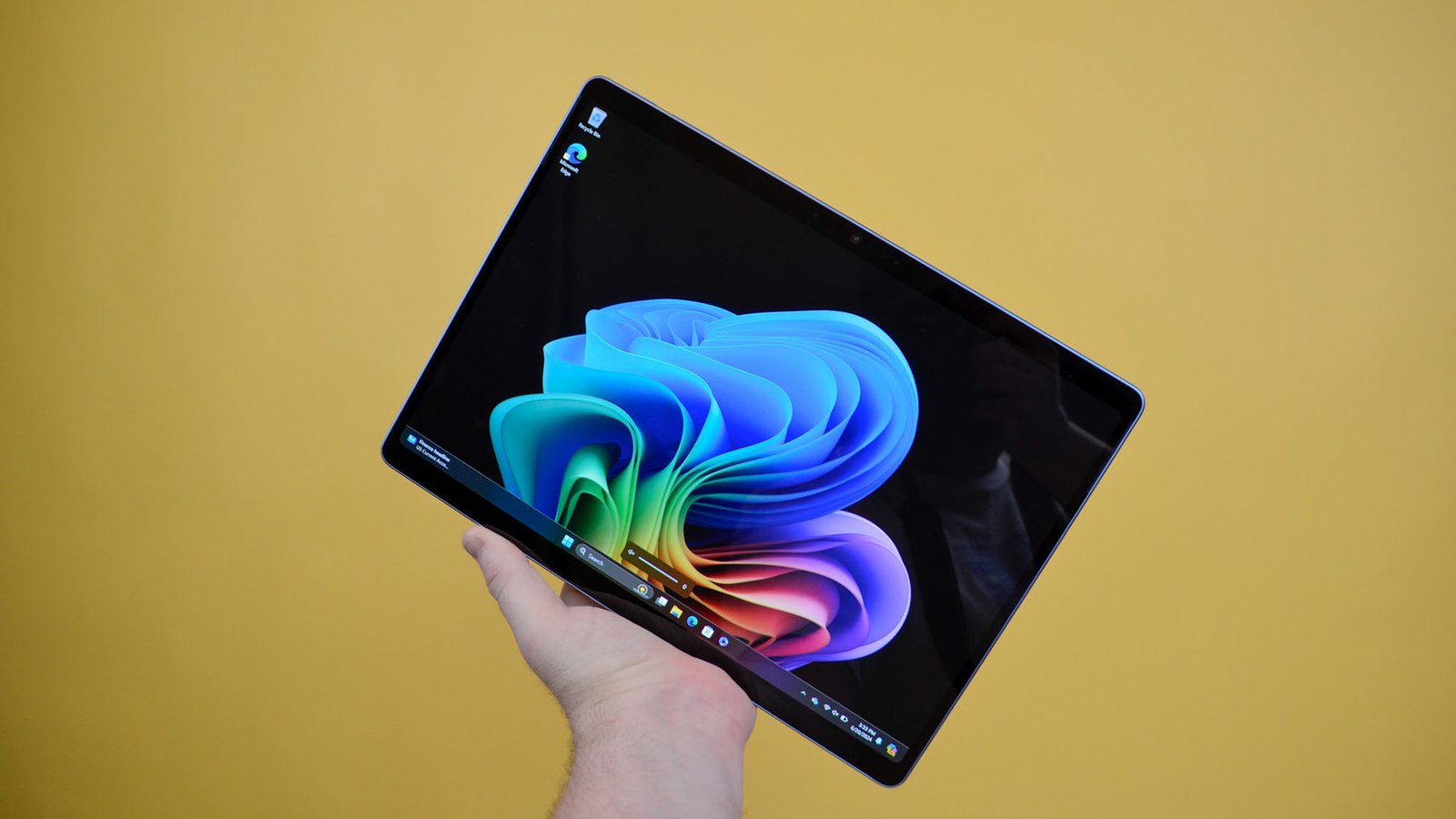
The 13-inch PixelSense Flow touchscreen display has a 3:2 aspect ratio, and a resolution of 2880 x 1920 pixels for 267 pixels per inch. The screen has a variable refresh rate of up to 120Hz. Microsoft Learn
Microsoft Surface Pro 11 X Elite OLED has a 1,000,000:1 contrast ratio and HDR support with up to 900 nits brightness and Dolby Vision IQ support. Microsoft Learn
The 3:2 aspect ratio is also more suited to productivity. Compared to a regular 16:9 display, it has more vertical space for documents, pages, or sheets.
For photographers, designers, students, and others who spend hours upon hours on the computer reading or writing, it could be a strong selling point.
Microsoft Surface Pro 11 worth:- Performance and Snapdragon X Processors
The Surface Pro 11 marks a dramatic departure from the past Surface Pros due to its switch to Qualcomm’s Snapdragon X-platform.
The Snapdragon X Plus configuration has a 10-core processor while the X Elite configuration has a 12-core processor.
They both have a Qualcomm Hexagon NPU that can handle up to 45 TOPS of AI processing. Microsoft Learn
Performance is more than sufficient for daily uses and tasks, ranging from browsing the web, using Microsoft Office, video conferencing, document editing, streaming, and multitasking.
The X Elite is a more appealing choice for demanding users since it is paired with the OLED display in Microsoft’s consumer configurations.
A caveat, however, is that there are some software compatibility issues with Snapdragon-based Windows PCs.
Most mainstream applications should work fine, but some specialized applications or utilities may have quirks when running them on Windows on Arm.
If your work revolves around a particular professional application, it might be worth checking its compatibility before investing in the Surface Pro.
Microsoft Surface Pro 11 worth:- Battery Life
Battery life is another strong point for the Surface Pro 11.
Microsoft advertises up to 14 hours of local video playback for Wi-Fi models and up to 10 hours of active web browsing. Obviously, the real-world battery life will depend on screen brightness, applications, workload, and connectivity. Microsoft Learn
For students and professionals who need to be away from a power outlet for long stretches of the day, the Surface Pro 11 could be a good choice.
It also supports rapid charging with a minimum of 65W power supply via Surface Connect or USB-C. Microsoft Learn
The combination of the low weight and the battery life may even be more important to potential buyers than the raw performance benchmarks.
Microsoft Surface Pro 11 worth:- Ports and Connectivity
The Surface Pro 11 has two USB-C/USB4 ports, a Surface Connect port, and a Surface Pro Keyboard connection. The USB-C ports support charging, data transfer, and DisplayPort 1.4a. Microsoft Learn
Wireless connectivity includes Wi-Fi 7 and Bluetooth 5.4 on supported models, and Microsoft also offers 5G versions for cellular connectivity if Wi-Fi is unavailable. Microsoft Learn
The number of physical ports might be limited for some users, especially if you are using several peripherals regularly. A USB-C hub or dock might be needed for a desktop setup.
Microsoft Surface Pro 11 worth:- Cameras and Video Calls
The Surface Pro 11 is well-equipped for video conferencing as well.
It has a Quad HD Surface Studio Camera with an ultrawide field of view, and Windows Studio Effects such as framing, portrait blur, and eye contact features. There is also a 10MP rear camera. Microsoft Learn
For remote workers or students attending online classes, it is more versatile than a regular laptop.
Microsoft Surface Pro 11 worth:- Storage and RAM Options
Microsoft has various configurations, and you can get up to 32GB RAM in some configurations and up to 1TB storage in others. Microsoft also listed configurations with 64GB RAM in its current store lineup. Microsoft Learn+1
What is nice about the Surface Pro is that the SSD is removable. Microsoft describes this as the SSD being replaceable, which can be more practical than other ultra-thin laptops. Microsoft Learn
For most users, 16GB RAM and 512GB storage should be a reasonable starting point. Power users who need to work with large files and virtual machines can go for 32GB or more.
Microsoft Surface Pro 11 worth:- How Much Does the Surface Pro 11 Cost?
The price is where the Surface Pro 11 becomes less recommendable for everyone.
Microsoft’s US store currently lists the Surface Pro 11 Essentials Bundle from $1,299.99 for a Snapdragon X Plus configuration with an LCD display, while the Snapdragon X Elite OLED configuration starts at $1,399.99, while higher-capacity versions can cost significantly more. Microsoft
For example, Microsoft’s current store listings show a 16GB/1TB X Elite OLED model at $1,699.99, while a 32GB/1TB configuration is listed at $2,199.99, and a 64GB/1TB version is listed at $3,649.99. Microsoft+2
These prices highlight why it is important to get the right configuration that caters to your needs. The Surface Pro can be extremely good value at a discounted price, but it becomes much harder to justify as configurations start to approach or exceed $2,000.
Microsoft Surface Pro 11 worth:- Who Should Buy the Surface Pro 11?
The Surface Pro 11 is best suited for people who value portability and flexibility.
It is perfect for:
- Students who want a tablet and Windows PC in one.
- Professionals who travel frequently.
- Writers, journalists, and office workers.
- Remote workers who want to attend frequent video meetings.
- Artists and note-takers who want touchscreen and pen functionality.
- People who want a lightweight Windows computer for daily productivity.
- People who want a high-quality 3:2 display.
For these people, the versatility of a tablet that can switch to a Windows PC, Windows software and features, excellent display quality, and portability make it hard to resist.
Microsoft Surface Pro 11 worth:- Who Should Avoid It?
The Surface Pro 11 is not suited for everyone.
Gamers who want a large game library should check the compatibility of games first if they want a Snapdragon model. Similarly, professionals who require specialized Windows applications or peripherals should ensure their software and hardware work fine with Windows on Arm.
It is also a bad choice for someone who just wants the most laptop for their money. Traditional laptops have more room for a screen, ports, and better-integrated keyboards at similar prices.
The Surface Pro’s detachable design is its main selling point, but it can also be the worst choice if you primarily want a conventional laptop.
Microsoft Surface Pro 11 worth:-
Yes – but for the most part, for people who value its 2-in-1 design.
The Surface Pro 11 is a great choice for people who want a device that can be switched between tablet and laptop modes. Its lightweight design, high-resolution touchscreen display, good battery life, capable Snapdragon processors, excellent cameras, and flexible kickstand make it one of the most versatile Windows PCs in its class.
Its OLED X Elite model is appealing if you want the best display and higher performance, while the LCD X Plus model can be a more appealing choice for buyers who want to reduce the cost.
However, people should bear in mind that the keyboard and other accessories can add to the real cost, and people should verify software compatibility if they rely on specialized Windows applications.
Ultimately, the Microsoft Surface Pro 11 is a worthwhile purchase if flexibility is more important than getting the cheapest or most powerful conventional laptop. If you want a premium Windows tablet that can take the place of a laptop, it is a good option. But if you just need a traditional laptop, there are likely more economical options.
For the right buyer, however, the Surface Pro 11 is worth it: it is one of the few conventional laptops that can be both a tablet and a full Windows PC in one incredibly portable device.